Demo page
Page Builder
Every block available in the page builder, grouped as they appear in the block picker. The tinted boxes describe the demo that follows them. Edit this page in the backoffice to see how each one is configured.
Tip
Jump links
The links above are a Buttons block using the "Text Link" style. Each points at a group heading that has an Anchor ID set under Settings > Advanced.
Block group
Franklin Sections
Full-width sections from the current franklin.ac.uk home page. On content pages they stretch to the full window width. Settings: visibility, animation, anchor ID and CSS class.
Franklin Sections › Hero Banner
Hero Banner
Three heading lines (small, large, small), Ofsted badge, a button and three link cards. Cards use each linked page's list or banner image.





Franklin Sections › Feature Banner
Feature Banner: White, image on the right
Heading lines "An / OUTSTANDING / place to learn" (the second line uses the display font), text, five buttons and the Ofsted logo. Image Width: Five Twelfths.


An
outstanding
place to learn
Franklin is, first and foremost, a college for our community. As recognised by Ofsted, the College is ‘embedded within its local community and creating an environment in which young people thrive’.
Franklin Sections › Link Cards
Link Cards: five links on pink
With five links, cards 1, 2 and 4 are wide. Background: Pink (or Navy).

Franklin Sections › News Highlights
News Highlights
The latest three articles from the first News Listing page (or picked articles), with a button to all news.


Franklin Sections › Video Section
Video Section
Centred heading over a 16:9 YouTube or Vimeo video. Background: Light Grey.
Watch our video
Franklin Sections › Feature Banner
Feature Banner: Pink, cut-out pinned to the bottom
Pin Image to Bottom for cut-out photos. On pink, heading lines are all white and the button is outlined white.

See your
future
Discover courses, explore careers, and take your first step towards the future you want.
Franklin Sections › Partner Logos
Partner Logos
Up to 12 logos beside the heading and text, with an optional background illustration (the Humber outline).



Our
Partners
Franklin Sixth Form College leads in education, partnering with businesses, universities, and training providers to create opportunity.
Franklin Sections › Steps
Steps
Numbered steps on navy with an optional button (How To Apply).
Joining us is easy, it just takes three simple steps
Get to know us at an Open Event
Meet our staff, see our facilities and find out about our courses.
Complete your application
Apply online; it usually takes less than an hour.
Join us for an interview
We'll talk through your choices and get to know you.
Block group
Franklin Components
Content blocks with the Umbraco 8 site's markup. They also work inside column layouts and use the normal Block Style Settings.
Franklin Components › Image & Text
Image & Text
Pink heading, cyan subheading, text and two buttons beside an image (image on the right; tick Image on Left to swap).

Cooking up innovation
9th July - 20th August
Franklin Sixth Form College in Grimsby offers A levels, vocational courses and T levels. This placeholder copy is here so you can judge spacing, line length and colour contrast.
Franklin Components › Overlay Card
Overlay Card
An 800x450 image with a white card overlapping it on desktop; the last word of the heading is pink.

Flourish in our digital learning environments
Franklin Sixth Form College in Grimsby offers A levels, vocational courses and T levels. This placeholder copy is here so you can judge spacing, line length and colour contrast.


Franklin Components › Overlay Card (Simple)
Overlay Card (Simple)
Image with a pink panel of bold lead text.
Franklin Components › Icon Card
Icon Cards in a Three Column Layout
U8 icon cards: white text unless a background is set (here: Primary and Secondary backgrounds).
What are your plans after school?
Careers
What careers are you interested in?
Which courses suit you best?
Franklin Components › CTA Banner
CTA Banner
Pink band with an image, heading and outlined button (U8 Events CTA).
There's a range of dates to be aware of throughout the academic year
Block group
Layout
Containers that hold other blocks. Every layout uses Column Layout Settings: column widths, alignment, gap, width, background colour or image, spacing and animation.
Layout › Section
Section: default
One full-width area that accepts any block. No settings changed.
This Insert Text block sits inside a plain Section. On its own a Section adds nothing visible. Its value is the background, spacing and animation settings.
Layout › Section
Section: background colour, Large padding, centred
Background Colour: Primary (navy). Padding Top/Bottom: Large. Text Alignment: Center. Text inside switches to white automatically on dark colours.
Section
A Section on navy
Headings, text and buttons all adapt to the dark background.
Layout › Section
Section: background image, Medium overlay, Narrow width
Background Image with Overlay Strength: Medium (tinted navy because no colour is set). Content Width: Narrow. Fade Up animation.

Section with image
An outstanding place to learn
Franklin Sixth Form College in Grimsby offers A levels, vocational courses and T levels. This placeholder copy is here so you can judge spacing, line length and colour contrast.
Layout › Two Column Row
Two Column Row: Equal (6 / 6)
Column Widths: Equal. The columns stack below 768px.
Left column
Franklin Sixth Form College in Grimsby offers A levels, vocational courses and T levels. This placeholder copy is here so you can judge spacing, line length and colour contrast.
Right column
Franklin Sixth Form College in Grimsby offers A levels, vocational courses and T levels. This placeholder copy is here so you can judge spacing, line length and colour contrast.
Layout › Two Column Row
Two Column Row: Wide First Column (8 / 4), Middle alignment
Column Widths: Wide First Column. Vertical Alignment: Middle, so the shorter column is centred against the taller one.
Wide column (8/12)
Franklin Sixth Form College in Grimsby offers A levels, vocational courses and T levels. This placeholder copy is here so you can judge spacing, line length and colour contrast.
Franklin Sixth Form College in Grimsby offers A levels, vocational courses and T levels. This placeholder copy is here so you can judge spacing, line length and colour contrast.

Layout › Two Column Row
Two Column Row: Wide Last Column (4 / 8), reversed on mobile, Large gap
Column Widths: Wide Last Column. Reverse Order on Mobile: on, so the text shows before the image on phones. Column Gap: Large.

Wide column (8/12)
The image on the left is linked (Insert Image > Link). Franklin Sixth Form College in Grimsby offers A levels, vocational courses and T levels. This placeholder copy is here so you can judge spacing, line length and colour contrast.
Layout › Two Column Row
Two Column Row: no gap, on a coloured background
Column Gap: None. Background Colour: Primary Subtle. Each column holds an Insert Text with its own background colour.
No gap
The two coloured boxes touch because the gap is set to None.
Second column
Franklin Sixth Form College in Grimsby offers A levels, vocational courses and T levels. This placeholder copy is here so you can judge spacing, line length and colour contrast.
Layout › Three Column Row
Three Column Row: Equal (4 / 4 / 4)
Column Widths: Equal. Three and four column rows stack below 992px.
Column 1
Franklin Sixth Form College in Grimsby offers A levels, vocational courses and T levels. This placeholder copy is here so you can judge spacing, line length and colour contrast.
Column 2
Franklin Sixth Form College in Grimsby offers A levels, vocational courses and T levels. This placeholder copy is here so you can judge spacing, line length and colour contrast.
Column 3
Franklin Sixth Form College in Grimsby offers A levels, vocational courses and T levels. This placeholder copy is here so you can judge spacing, line length and colour contrast.
Layout › Three Column Row
Three Column Row: Wide First (6 / 3 / 3)
Column Widths: Wide First Column.
Wide (6/12)
Franklin Sixth Form College in Grimsby offers A levels, vocational courses and T levels. This placeholder copy is here so you can judge spacing, line length and colour contrast.
3/12
Narrow column.
3/12
Narrow column.
Layout › Three Column Row
Three Column Row: Wide Middle (3 / 6 / 3)
Column Widths: Wide Middle Column.
3/12
Narrow column.
Wide (6/12)
Franklin Sixth Form College in Grimsby offers A levels, vocational courses and T levels. This placeholder copy is here so you can judge spacing, line length and colour contrast.
3/12
Narrow column.
Layout › Three Column Row
Three Column Row: Wide Last (3 / 3 / 6)
Column Widths: Wide Last Column.
3/12
Narrow column.
3/12
Narrow column.
Wide (6/12)
Franklin Sixth Form College in Grimsby offers A levels, vocational courses and T levels. This placeholder copy is here so you can judge spacing, line length and colour contrast.
Layout › Four Column Row
Four Column Row (3 / 3 / 3 / 3)
Four equal columns: two per row on tablets, one per row on phones. Column Widths has no effect here.
Column 1
Quarter-width column.
Column 2
Quarter-width column.
Column 3
Quarter-width column.
Column 4
Quarter-width column.
Layout Options › Insert Text & Insert Image
Insert Text and Insert Image (column-only blocks)
These two blocks only appear inside layout areas. Both have the full Block Style Settings. Shown here: a captioned image, a linked image and coloured text.


Insert Text
With Background Colour Accent (cyan) and centred text.
Layout › Spacer
Spacer: Extra Small, Medium and Extra Large
The thin lines below are Dividers. Between them are Spacers of three heights. Spacers add empty vertical space and work in columns too.
Layout › Divider
Divider styles and widths
In order: Solid/Full, Dashed/Half (centred), Dotted/Full in Accent, Double/Full, Accent/Short (centred).
Block group
Content
The original blocks carried over from the previous build. They work both at page level and inside layouts.
Content › Rich Text
Rich Text Row: default
The main text block, using the full rich text editor.
Rich Text Row
Franklin Sixth Form College in Grimsby offers A levels, vocational courses and T levels. This placeholder copy is here so you can judge spacing, line length and colour contrast.
- Bulleted lists
- Links, tables and embedded media
Content › Rich Text
Rich Text Row: background colour, centred
Background Colour: Primary Subtle. Text Alignment: Center.
Highlighted text
Franklin Sixth Form College in Grimsby offers A levels, vocational courses and T levels. This placeholder copy is here so you can judge spacing, line length and colour contrast.
Content › Rich Text + Single Image
Original blocks inside a Two Column Row
A Rich Text Row on the left and a Single Image on the right.
In a column
Franklin Sixth Form College in Grimsby offers A levels, vocational courses and T levels. This placeholder copy is here so you can judge spacing, line length and colour contrast.

Content › FAQs
FAQs
Picks existing FAQ pages and shows them as an accordion.
Applicant questions
Three FAQ items picked from the FAQ data bank.
Most students will do 3 subjects if they select single options, for example 3 A Levels or a single vocational subject with 2 A Levels. Some of our courses are available as Double and Triple options. This means some students will take 1 Double course alongside a Single course subject, or a Triple course as their full study programme. A small number of students will study 4 courses, for example when a student is studying Further Maths as a 4th option.
Choosing which courses to study is an important decision, so we advise you to choose courses that you think you will enjoy studying and work hard over the next 2 to 3 years.
Choosing courses that you have already studied at GCSE is a great progression route to develop your skills at a higher level. You also have a great opportunity to try something new or develop a passion or hobby you already have.
If you are still unsure, join us at one of our Open Events where you can find out about all our courses, meet our specialist teaching and support teams, see our subjects in-action, meet our students and find out about our amazing Personal and Professional Development opportunities.
We have over 70 courses to choose from and countless combinations, so you can create a tailor-made study programme that is right for you.
If you have a certain goal or dream career you want to achieve, we will help you from the very start to choose subjects and experiences that will strengthen your application and ensure your very best chance of success. Advice from the Admissions Team, teachers, Progress Coaches and our Career Advisors will ensure that you get the most out of what Franklin Sixth Form College can offer you.
Content › Single Image Fit
Single Image Fit: 320px high, then 220px in a column
Fills the width at a fixed Display Height and crops whatever doesn't fit around the image's focal point.


Content › Single Image
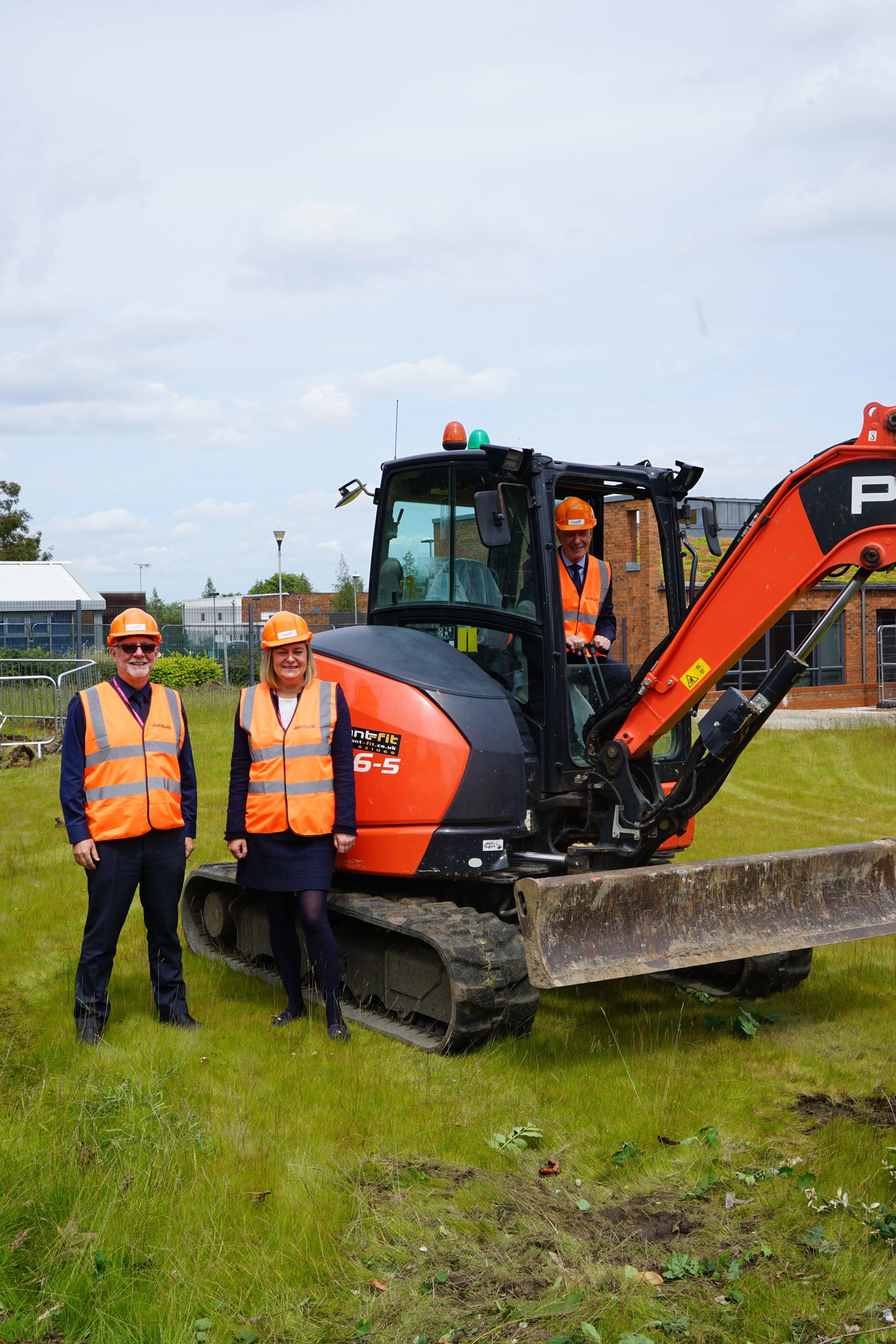
Single Image
A responsive full-width image.
Content › Single Video
Single Video (embed code)
Paste an embed code from YouTube, Vimeo and similar sites. Display Ratio: 16:9. The page-level Video block (Media group) only needs a URL.
Content › Resources
Resources
Grouped downloadable documents and links.
Example resources
A group with two documents.
Planning documents
Content › Calendar
Calendar
Shows the calendar feed set in appsettings. It has no options.
Content › Two Week Timetable
Two Week Timetable
The fixed lessons-per-fortnight table carried over from the previous build.
Block group
Text
Headings, quotes, buttons and lists.
Text › Heading
Heading: title only
Defaults: H2, left-aligned, no extras.
A simple heading
Text › Heading
Heading: every option, centred
Pre-title, Highlighted Words ("every option"), Sub-heading and Accent Line. Text Alignment: Center.
Pre-title
A heading with every option
The sub-heading sits underneath in a lighter style.
Text › Heading
Heading: H3, right-aligned, in a column
Heading Level: H3 and Text Alignment: Right, inside the right column of a Two Column Row.
Franklin Sixth Form College in Grimsby offers A levels, vocational courses and T levels. This placeholder copy is here so you can judge spacing, line length and colour contrast.
In a column
Right-aligned H3
Text › Animated Heading
Animated Heading
Rotating words: "ambitious", "creative", "confident", "ready". The rotation stops for visitors who prefer reduced motion.
At Franklin you will be ambitious, creative, confident, ready for your future.
Text › Quote
Quote: default and Pull Quote
The first is the default style. The second has Pull Quote Style on.
Education is not the filling of a pail, but the lighting of a fire.
Franklin gave me the confidence to aim higher than I ever thought I could.
Text › Quote
Quote on a dark Section
A Quote inside a Section with Background Colour Course Plum.
Quotes adapt to dark backgrounds automatically.
Text › Buttons
Buttons: all six styles
Primary, Secondary, Primary Outline, Secondary Outline, White and Text Link. Two have Font Awesome icons.
Text › Buttons
Buttons: centred on a dark background
Inside a navy Section with Text Alignment: Center. Outline buttons turn white on dark backgrounds.
Text › Icon List
Icon List: Simple
Each item has a default tick icon. The second item is linked.
Text › Icon List
Icon List: Feature List
Larger icons with a connecting line and descriptions. The icons are Font Awesome classes.
Text › Icon List
Icon List: Inline, centred, next to an image
Style: Inline with Text Alignment: Center, inside the right column of a Two Column Row.

Why Franklin?
Block group
Media
Images, galleries, video, audio and maps.
Media › Media & Text
Media & Text: image left
Image Position: Left (default) with a heading, rich text and a button.

Media & Text
Franklin Sixth Form College in Grimsby offers A levels, vocational courses and T levels. This placeholder copy is here so you can judge spacing, line length and colour contrast.
Media › Media & Text
Media & Text: image right, on a coloured background
Image Position: Right. Background Colour: Primary Subtle. On phones the image always comes first.

Your pathway
Franklin Sixth Form College in Grimsby offers A levels, vocational courses and T levels. This placeholder copy is here so you can judge spacing, line length and colour contrast.
Media › Cover Banner
Cover: image, Medium height, centred
Background Image with Overlay Strength: Medium (default) and Height: Medium. Text Alignment: Center.

Open Event
Come and see us
Meet our staff and students and tour the college.
Media › Cover Banner
Cover: no image, Secondary, Small height
Without an image the Background Colour (Secondary, magenta) fills the banner. Height: Small.
Applications are open
A call to action without an image
Media › Cover Banner
Cover: Large height, Dark overlay
Height: Large. Overlay Strength: Dark. Text Alignment: Right.

See your future
Dark overlays suit busy photos.
Media › Cover Banner
Two Covers side by side
Small-height Covers in each column of a Two Column Row: one with an image tinted Course Teal, one Course Yellow with no image (light colours keep dark text).

Sport
The Arts
Light background, so dark text.
Media › Gallery
Gallery: 3 per row, square, lightbox
Images Per Row: 3. Image Shape: Square. Open in Lightbox: on, so click an image to view it larger with next/previous.


Media › Gallery
Gallery: 4 per row, 4:3, captions
Images Per Row: 4. Image Shape: Landscape (4:3). Show Captions: on (captions come from each image's Alt text, so they only appear where alt text is set).


Media › Gallery
Gallery: 2 per row, original shape, in a column
Images Per Row: 2. Image Shape: Original. In the wide column of a Two Column Row.
Gallery in a column
Galleries reduce the number per row on small screens.


Media › Logo Slider
Logo Slider: static, greyscale
Scroll Continuously: off. Greyscale Until Hovered: on. Photos stand in for logos here; upload partner logos (ideally transparent PNGs) for real use.
Our partners




Media › Logo Slider
Logo Slider: scrolling
Scroll Continuously: on. It pauses on hover and stops for visitors who prefer reduced motion.


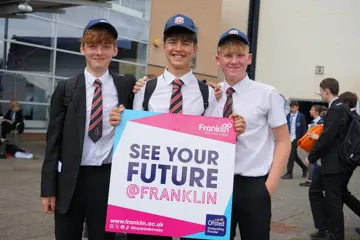

Media › Video
Video: YouTube URL
Paste a YouTube or Vimeo link and it is converted to a privacy-friendly embed. Aspect Ratio: 16:9 (default).
Media › Video
Video: 4:3 in a column
Aspect Ratio: 4:3, in the left column of a Two Column Row.
Video in a column
Franklin Sixth Form College in Grimsby offers A levels, vocational courses and T levels. This placeholder copy is here so you can judge spacing, line length and colour contrast.
Media › Audio
Audio
An uploaded MP3 with a title and caption. The player uses the browser controls.
Example podcast episode
Media › Google Map
Google Map: Medium height
Address or Place: "Franklin Sixth Form College, Grimsby". Zoom Level: 15.
Media › Google Map
Google Map: Small height, zoomed out, in a column
Height: Small. Zoom Level: 12, next to the address in a Two Column Row.
Find us
Franklin Sixth Form College
Chelmsford Avenue
Grimsby
DN34 5BY
01472 875000
reception@franklin.ac.uk
Block group
Cards & Lists
Boxes, cards, people, quotes and figures.
Cards & Lists › Icon Box
Icon Boxes in a Three Column Row, linked and animated
Each box has a Link, which makes the whole box clickable. Animations: Fade Up, Zoom In, Flip Up.
Cards & Lists › Icon Box
Icon Boxes in a Four Column Row, centred, one coloured
No links. Text Alignment: Center. The last box has Background Colour Secondary (magenta).
Cards & Lists › Image Box
Image Boxes in a Three Column Row
Image Shapes: Landscape (4:3), Square and Widescreen (16:9). The first two are linked.


Humanities
Image Shape: Widescreen (16:9), no link.
Cards & Lists › Image Box
Image Box at page level
A single Image Box outside a layout stretches to the full width.

A full-width card
Franklin Sixth Form College in Grimsby offers A levels, vocational courses and T levels. This placeholder copy is here so you can judge spacing, line length and colour contrast.
Find out more about A full-width cardCards & Lists › Team
Team: 3 per row, round photos, centred
Members Per Row: 3. Photo Shape: Square, which shows as a circle. Each member has a role, bio, email and profile links. The people are placeholders.

Example Name
Principal
Short biography text.

Example Name
Head of Student Services
Short biography text.
Example Name
Head of Careers
No photo on this one.
Cards & Lists › Team
Team: 4 per row, portrait photos, left-aligned
Members Per Row: 4. Photo Shape: Portrait (3:4). Text Alignment: Left.
Example Name
English
Example Name
Mathematics
Example Name
Science
Example Name
History
Cards & Lists › Testimonials
Testimonials: Grid, 2 per row
Layout: Grid (default). The first testimonial has a photo.
The support from my tutors helped me get into my first-choice university.
 Former student
Class of 2025
Teachers really know their students and push them to do their best.
Cards & Lists › Testimonials
Testimonials: Carousel on a dark Section
Layout: Carousel (swipe, or use the arrow buttons). Inside a navy Section.
What our students say
Cards & Lists › Counters
Counters (Fun Facts)
Four counters with a prefix, suffix and icon. Numbers count up when scrolled into view. The figures are placeholders.
1,500+
Students
98%
Pass rate
60+
Courses
40+
Enrichment activities
Cards & Lists › Counters
Counters on a light coloured Section, 3 per row
Per Row: 3, inside a Section with Background Colour Course Teal. Teal is light, so the text stays dark automatically.
25
A level subjects
£50,000
Raised for charity
12
Sports teams
Cards & Lists › Progress Bars
Progress Bars in a column
Bar colours: default (Primary), Accent and Secondary. The bars grow when scrolled into view.
Progress Bars
Good for targets, surveys or fundraising.
Block group
Interactive
Blocks visitors click, open or share.
Interactive › Accordion
Accordion: first panel open
Open First Panel: on. Opening another panel closes the rest.
Lessons start at 8:50am.
Yes. See the student handbook.
Call the attendance line before 9am.
Interactive › Accordion
Accordion: several open at once, in a column
Allow Several Open at Once: on, in the wide column of a Two Column Row.
Questions?
Accordions work well in columns too.
Franklin Sixth Form College in Grimsby offers A levels, vocational courses and T levels. This placeholder copy is here so you can judge spacing, line length and colour contrast.
Franklin Sixth Form College in Grimsby offers A levels, vocational courses and T levels. This placeholder copy is here so you can judge spacing, line length and colour contrast.
Interactive › Tabs
Tabs
Three tabs. They reuse the same items as the accordion (title + rich text).
Academic courses. Franklin Sixth Form College in Grimsby offers A levels, vocational courses and T levels. This placeholder copy is here so you can judge spacing, line length and colour contrast.
Applied and BTEC courses. Franklin Sixth Form College in Grimsby offers A levels, vocational courses and T levels. This placeholder copy is here so you can judge spacing, line length and colour contrast.
Technical qualifications with industry placements. Franklin Sixth Form College in Grimsby offers A levels, vocational courses and T levels. This placeholder copy is here so you can judge spacing, line length and colour contrast.
Interactive › Countdown
Countdown: centred
Count Down To: 18 December 2026, 3:30pm (an example date). Finished Message is shown once the date has passed.
End of the autumn term
Happy holidays!
Interactive › Countdown
Countdown on a dark Section, in a column
Inside a navy Two Column Row, next to text.
Open Event
Example: counting down to 1 July 2027, 6pm.
Interactive › Popup
Popup: opened by a button
Open: Button. Button Style: Secondary. Click the button to see the popup.
Interactive › Popup
Popup: on page load
Open: On Page Load, after 3 seconds, once per visit. That is why a popup appeared shortly after you opened this page. It has no button.
Interactive › Form
Form
Shows an Umbraco Forms form (here the "Contact form"), with an optional heading.
Get in touch
Interactive › Social Share
Social Share: all networks
Networks: none ticked, which means all of them. "Copy Link" copies the page address.
Interactive › Social Share
Social Share: chosen networks, centred
Networks: Facebook, WhatsApp and Email. Label: "Tell a friend". Text Alignment: Center.
Interactive › Social Icons
Social Icons
One link per profile. The icon is picked from the address.
Block group
Dynamic Content
Blocks that pull in other pages automatically.
Dynamic Content › Page Cards
Page Cards: 3 per row
Each card uses the page's listing or banner image, title and summary. (The pages are reference examples kept from the previous build.)

Explore our Courses
Find out more about Explore our CoursesDynamic Content › Page Cards
Page Cards: 2 per row in a column, custom link text
Cards Per Row: 2. Link Text: "Visit page".
Explore
Page Cards in a column.

Experience Franklin
Visit page about Experience Franklin
Franklin Information
Visit page about Franklin InformationDynamic Content › Latest News
Latest News
The three newest published articles from the Latest News page, with a "View all news" link.
Block group
Block Style Settings
The Settings panel on every new block: colours, alignment, spacing, animation and visibility.
Settings › Background Colour
All 11 approved colours
The Approved Color palette: brand colours, the six course colours and white. Text switches to white automatically on dark colours and stays dark on light ones.
Primary
#202B50
Primary Subtle
#E9EAEE
Secondary
#E5117C
Accent
#1FC0C8
Course Teal
#21BDCF
Course Yellow
#E5C424
Course Green
#A1C943
Course Plum
#BE488B
Course Grey
#6F7474
Course Orange
#D26E1B
White
#FFFFFF
Settings › Text Colour
Text Colour override
Text Colour: Secondary on the left. On the right, Text Colour: White on Course Teal, overriding the automatic dark text.
Magenta text
Franklin Sixth Form College in Grimsby offers A levels, vocational courses and T levels. This placeholder copy is here so you can judge spacing, line length and colour contrast.
White on Course Teal
Franklin Sixth Form College in Grimsby offers A levels, vocational courses and T levels. This placeholder copy is here so you can judge spacing, line length and colour contrast.
Settings › Text Alignment
Left, Center and Right
Text Alignment on each of three Insert Text blocks.
Left
Aligned left.
Center
Aligned centre.
Right
Aligned right.
Settings › Padding
Padding Top and Bottom
Each Heading below has a Primary Subtle background so you can see the space: None, Small, Medium, Large and Extra Large.
Padding: None
Padding: Small
Padding: Medium
Padding: Large
Padding: Extra Large
Settings › Animation
Entrance animations
Scroll down to see each box animate in: Fade Left, Fade Right, Fade Down and Zoom In. Fade Up and Flip Up are used further up the page.
Settings › Visibility
Hide on Mobile / Hide on Desktop
Resize the window: the first heading only shows on screens 768px and wider, the second only on narrower screens.
Settings › Visibility
Hide
There is a hidden Heading straight after this box. It is visible in the backoffice (marked "(hidden)") but not on the website.
Settings › Anchor ID
Anchor ID
Every group heading on this page has an Anchor ID (layout, content, text...). The jump links at the top use them, e.g. /page-builder#media.